

Step 1: Access to your file using Public PC with your NetID
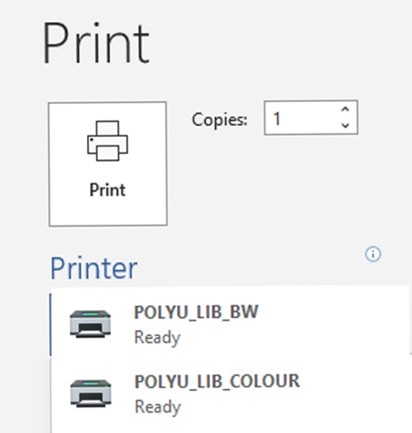
Step 2: Send the file to the selected printer by clicking “Print”. Select the correct print driver.
For black and white printing, choose POLYU_LIB_BW
For colour printing, choose POLYU_LIB_COLOUR
Step 3: Create a set of Login Name and Password for the print job and select appropriate printer. Please avoid input common login name and password (e.g. 1234 or 0000)
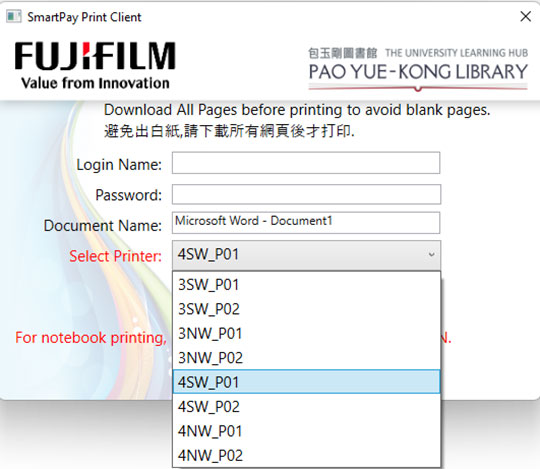
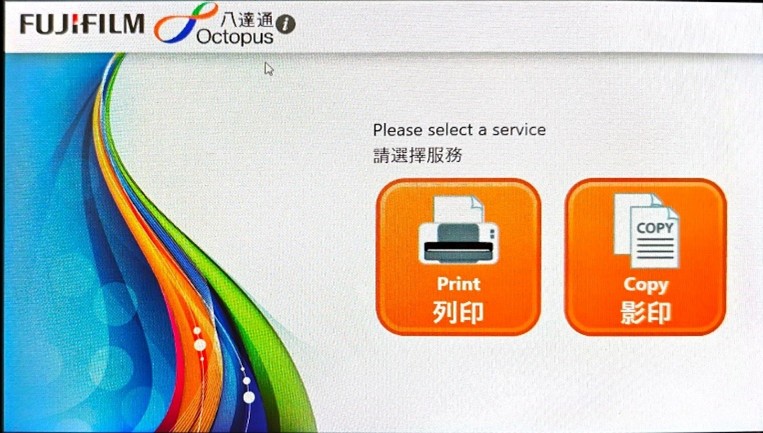
Step 4: Go to the designated printer and choose Print
Step 5: Choose payment method
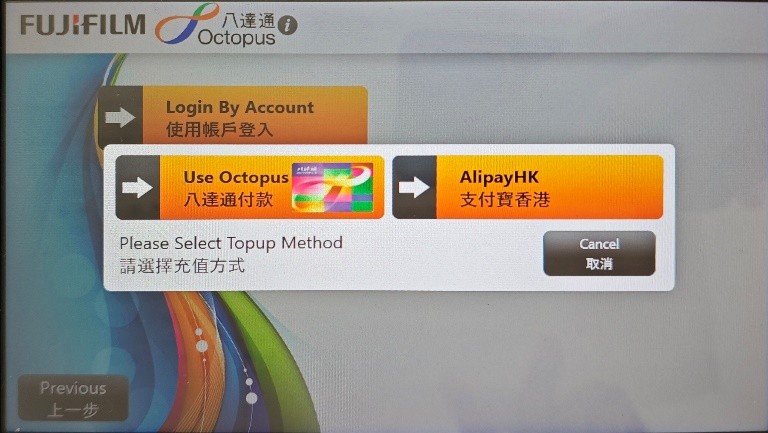
Step 6: Enter the Login Name and Password created in Step 3 and select the file(s) to print
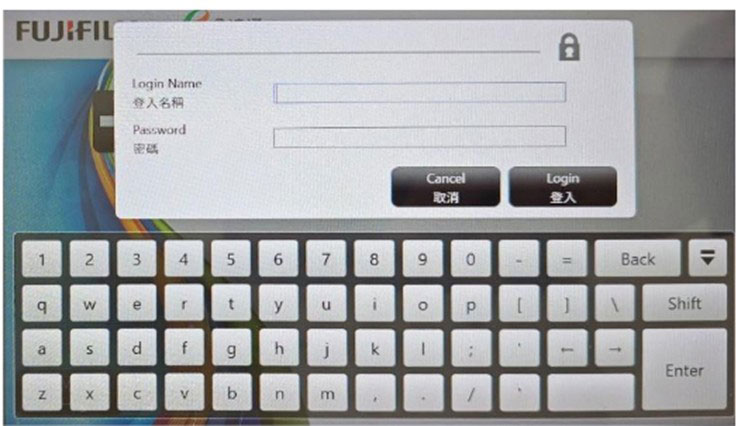
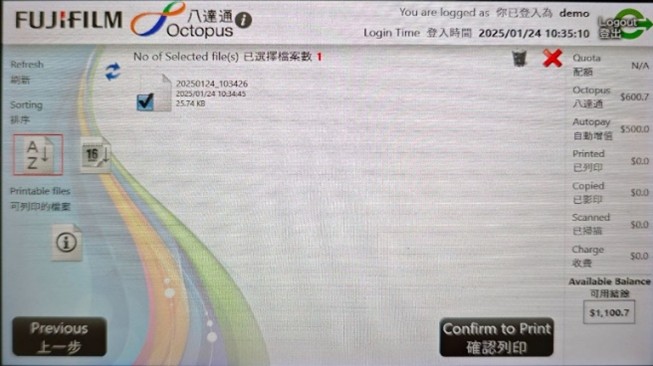
For details, please refer to FUJIFILM Octopus/ AlipayHK Printing Guide.
Step 1: Access to your file using Public PC with your NetID
Step 2: Send the file to the selected printer by clicking “Print”. Select the correct print driver.
For black and white printing, choose POLYU_LIB_BW
For colour printing, choose POLYU_LIB_COLOUR
Step 3: Create a set of Login Name and Password for the print job and select appropriate printer. Please avoid input common login name and password (e.g. 1234 or 0000)
Step 4: Go to the designated printer and choose Print
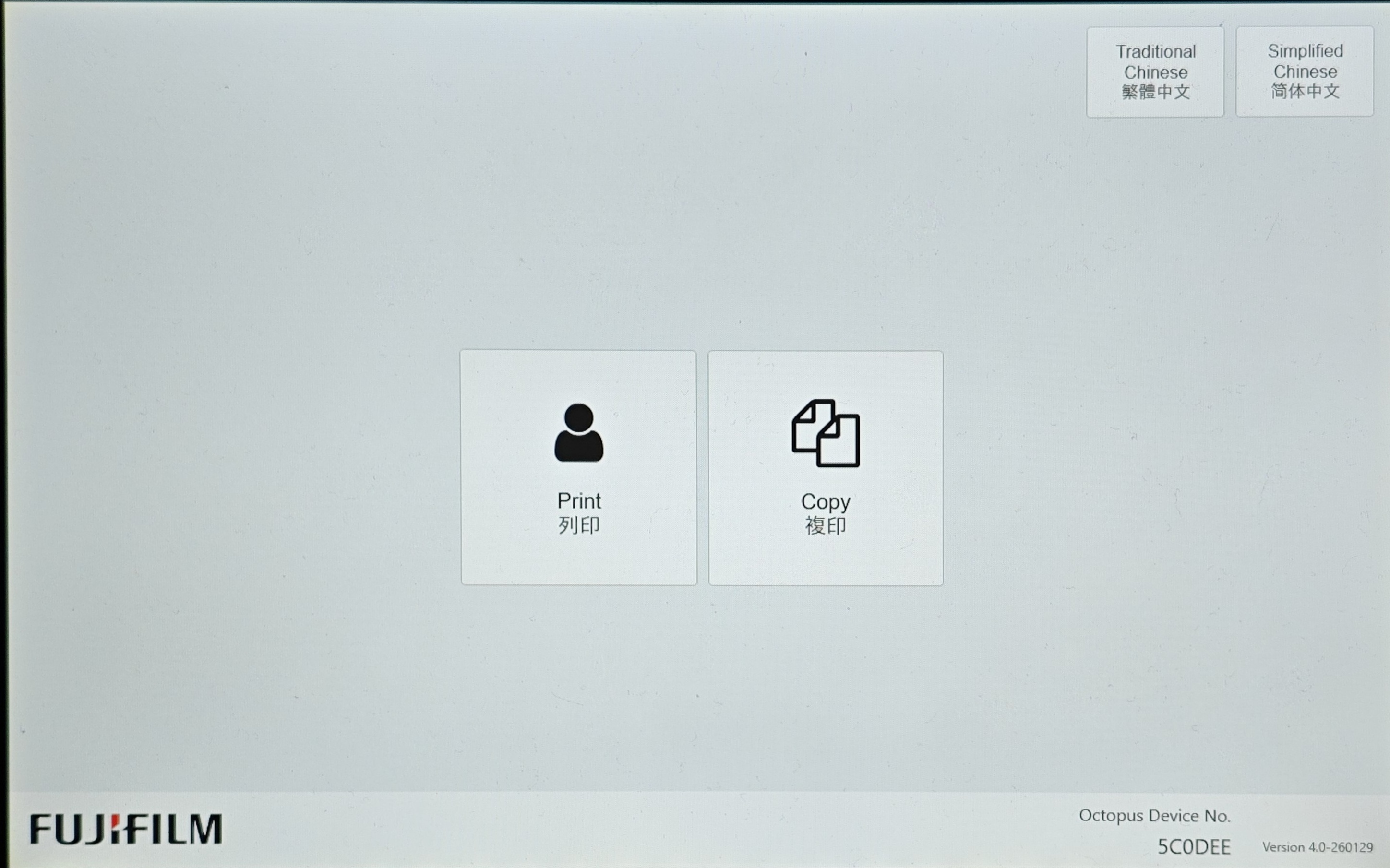
Step 5: Enter the Login Name and Password created in Step 3 and select the file(s) to print
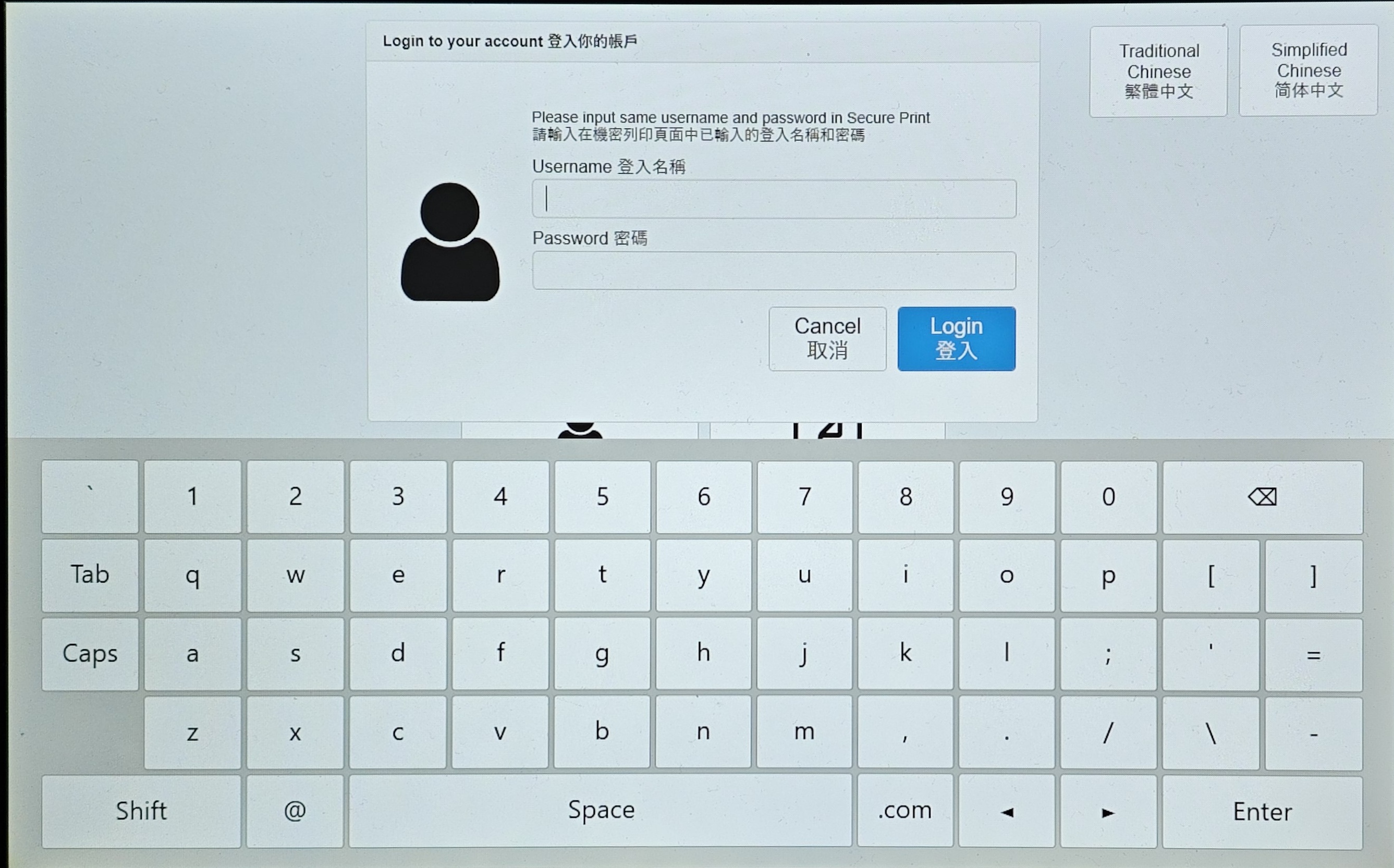
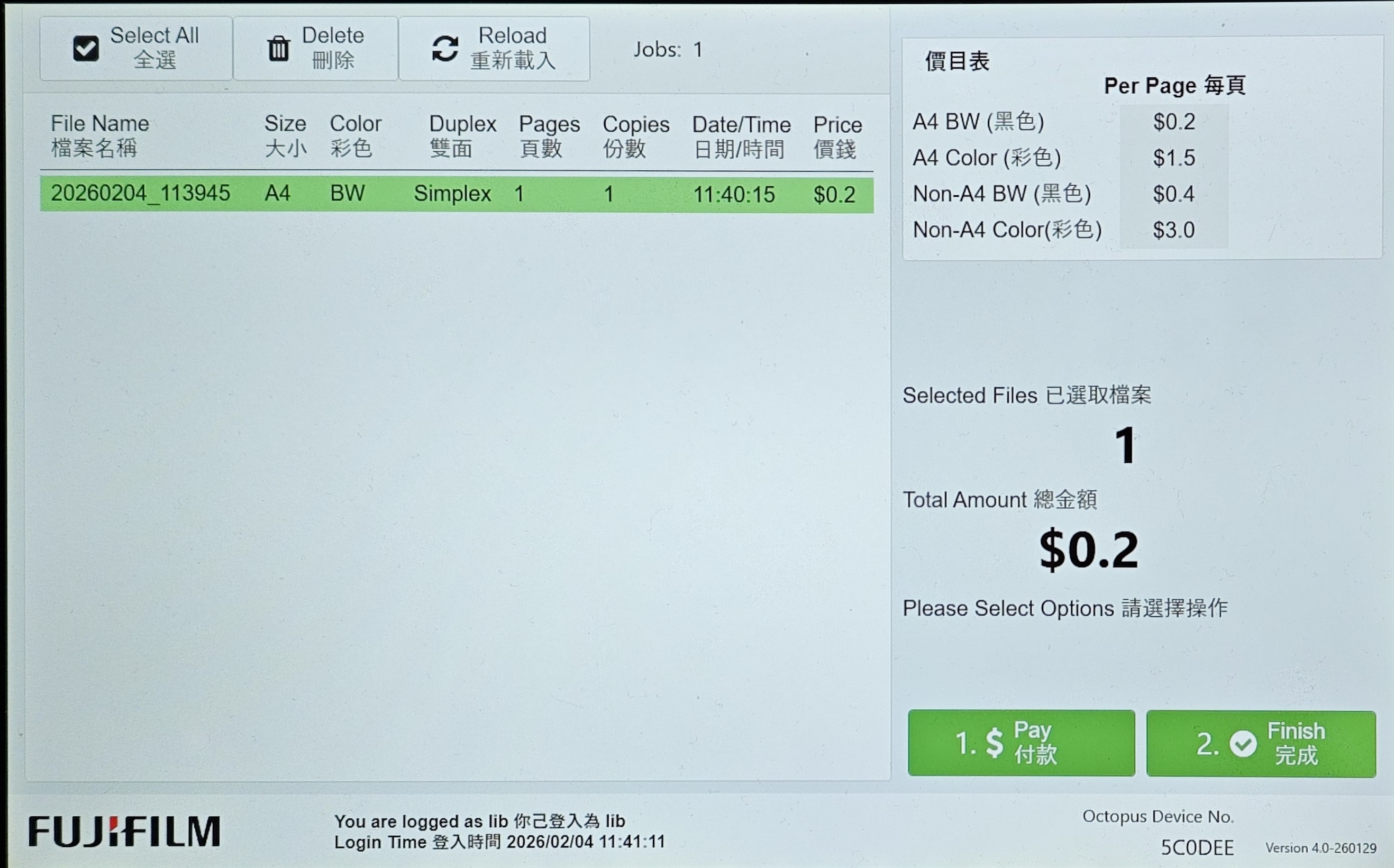
Step 6: Choose payment method
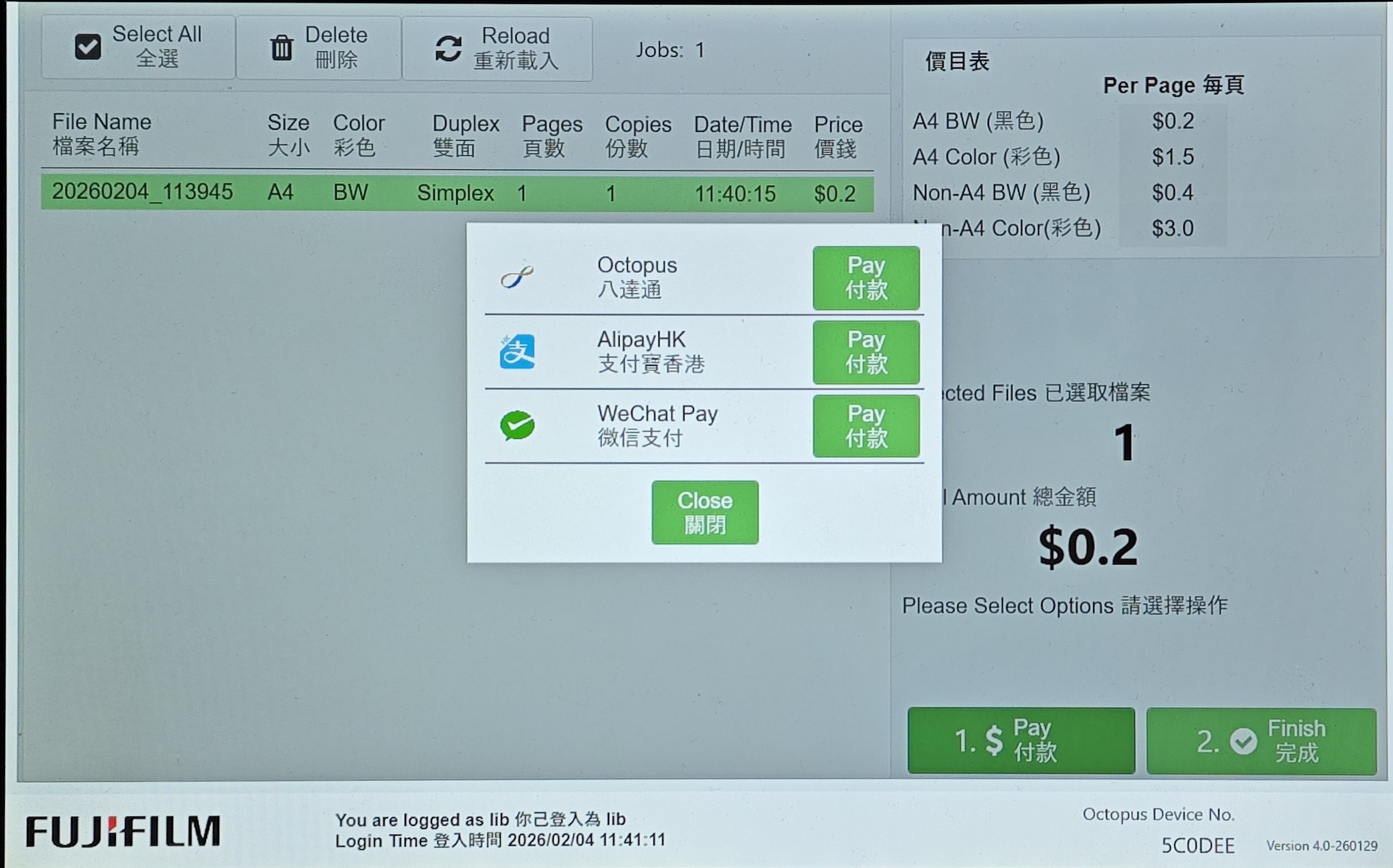
For details, please refer to FUJIFILM Octopus/ AlipayHK / WeChat Pay Printing Guide.

 PolyU Library AI Chatbot