

| Available at: PolyU students and staff: Online Access through SSO login Other users: Online Access |
| Off-campus Access Rights : P - PolyU Staff/Students only |
| Resources by vendor Elsevier Quick Reference Guide | Terms and Conditions |
LeapSpace is a unified AI-powered platform built on ScienceDirect full-text and Scopus data, empowering researchers to gain evidence-based insights, accelerate literature discovery, validate claims, identify collaborators and funding opportunities, and make informed decisions with transparent sources from trusted content in Elsevier publications, Trust Cards, and Claim Radar.
How to Access LeapSpace:
(Method 1: from LeapSapce)
1. Navigate to the LeapSpace page.
2. Enter your NetID OR PolyU email (@polyu.edu.hk for staff, @connect.polyu.hk for students).
3. Select 'Continue'.
If an Elsevier account is associated with your email address:
- You will be directed to the 'Sign in' screen to enter your password.
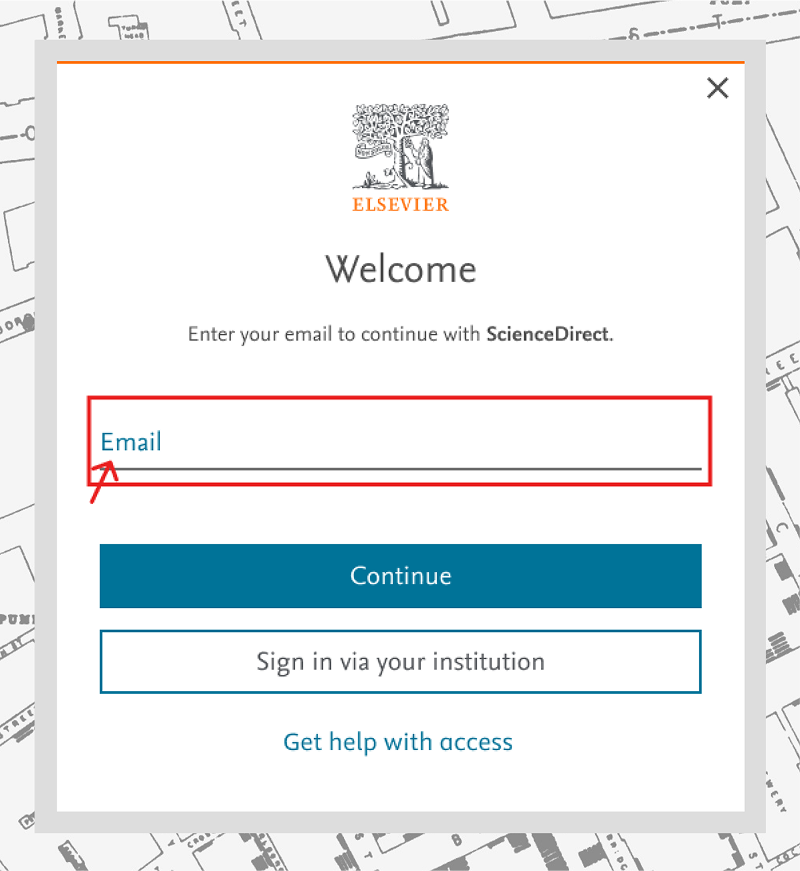
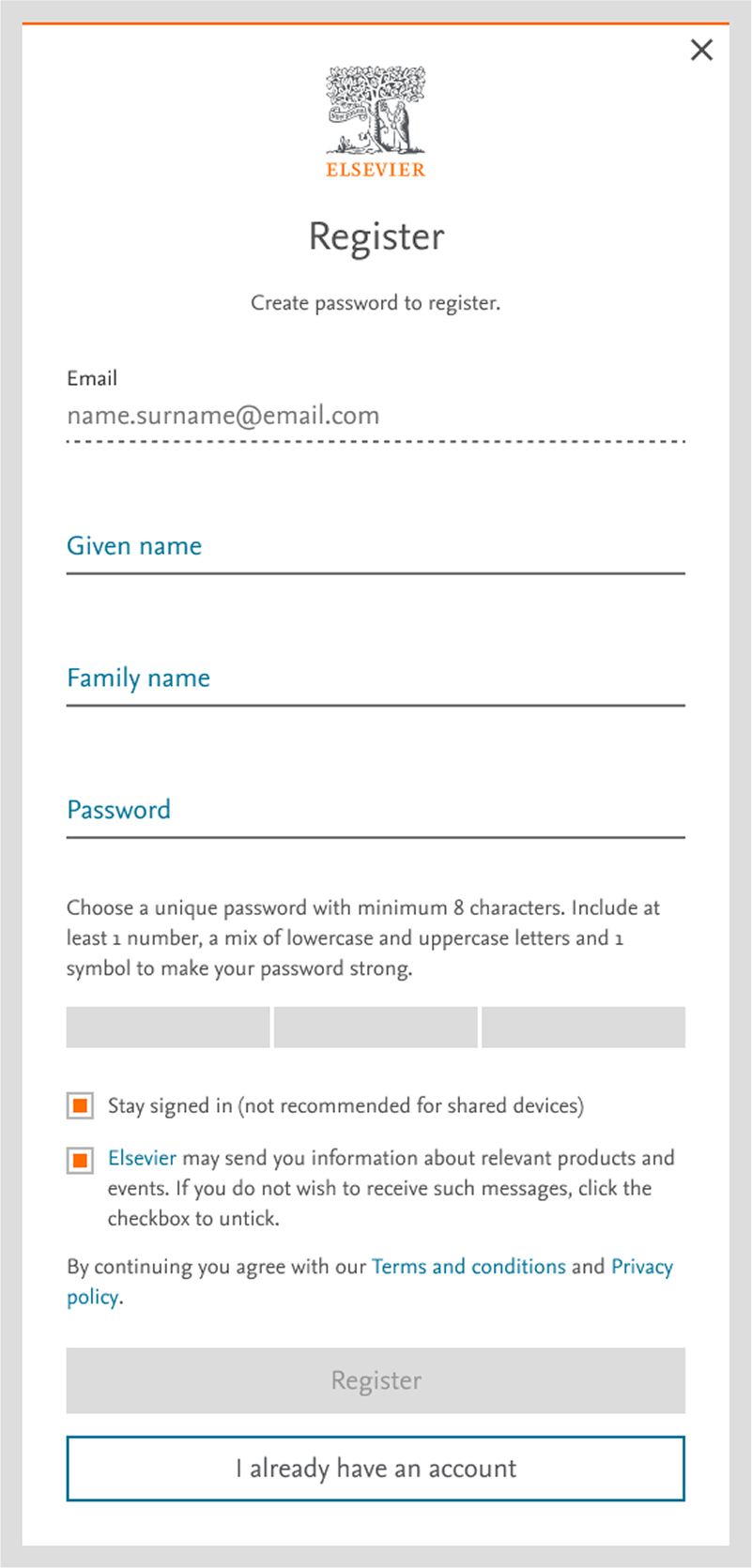
If no account is linked to your email address:
- You will be directed to the 'Register' screen to create a new account with your PolyU email (@polyu.edu.hk for staff, @connect.polyu.hk for students).
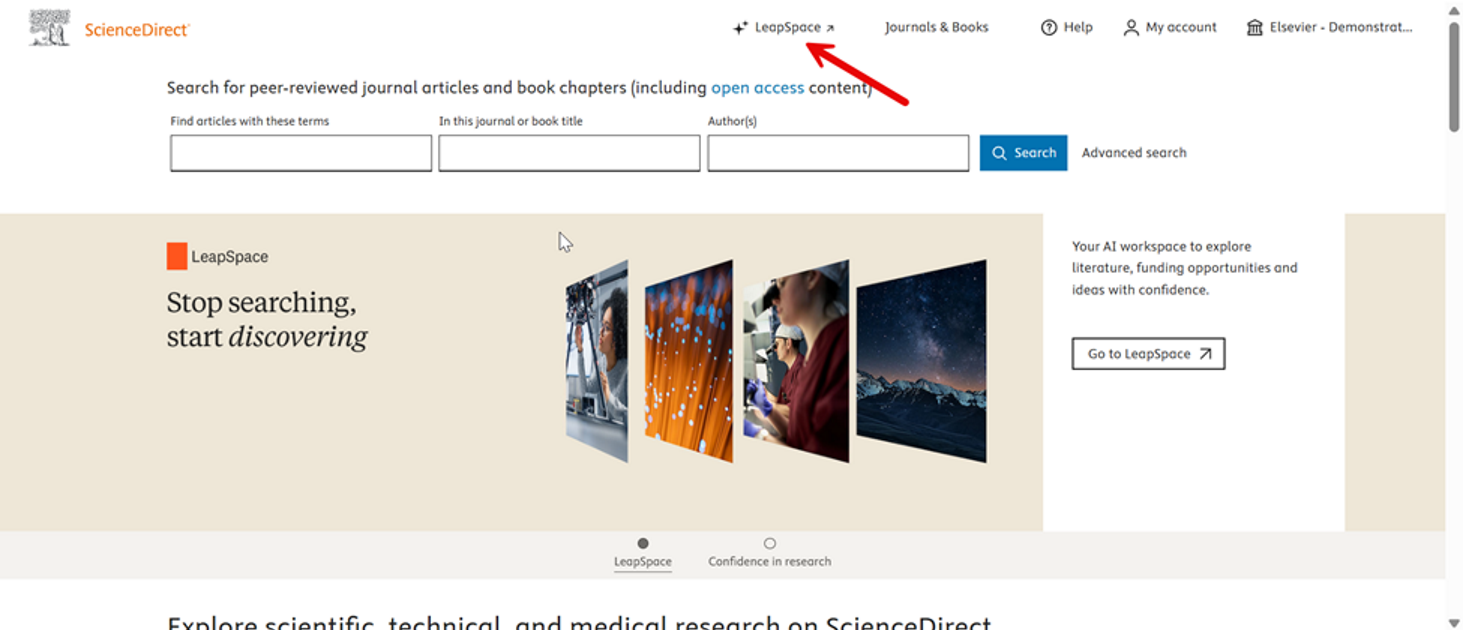
(Method 2: from ScienceDirect)
Register/login ScienceDirect first, then go to LeapSpace from ScienceDirect.
- Accounting & Finance
- Applied Science & Textiles
- Aviation & Mechanical Engineering
- Biology & Biotechnology
- Biomedical Engineering
- Business
- Chemistry & Chemical Technology
- Chinese Literature
- Civil Engineering & Environmental Science
- Computer & Mathematical Sciences
- Construction & Environment
- Data Science & Artificial Intelligence
- Design
- Electrical & Electronic Engineering
- Engineering
- English Literature
- Fashion, Clothing & Textiles
- Food Science & Nutrition
- Geography & Land Surveying
- Health & Social Sciences
- Humanities (General)
- Industrial Engineering
- Law
- Logistics & Maritime
- Marketing
- Physics & Material Science
- Science
- Building & Construction
- Business & Management
- China Studies
- Company Information
- Computing & Computer Science
- Economics
- Education
- Hong Kong Information
- Humanities
- Knowledge Management
- Language & Linguistics
- Mathematics & Statistics
- Medicine & Health Science
- Multi-Disciplinary
- Nursing
- Psychology
- Rehabilitation Sciences
- Social Sciences (General)
- Social Work
- Tourism & Hospitality Management

 PolyU Library AI Chatbot